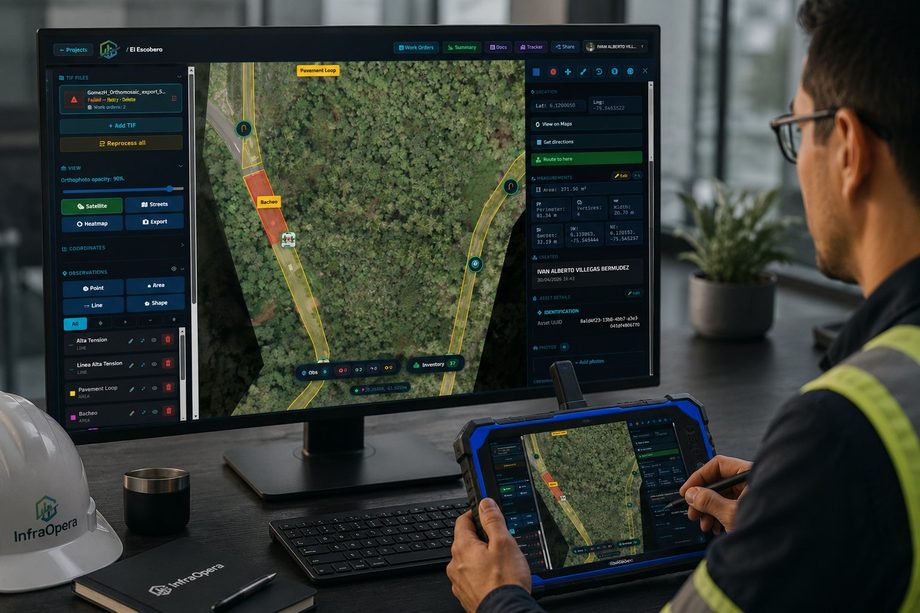
InfraOpera turns your territory into an operating system: you capture, you know what you have, you assign, you execute with evidence and you verify. All in one place, on the map.
Like an opera conductor who walks in, sets the tempo and closes the piece: you hold the baton, InfraOpera synchronizes every movement.
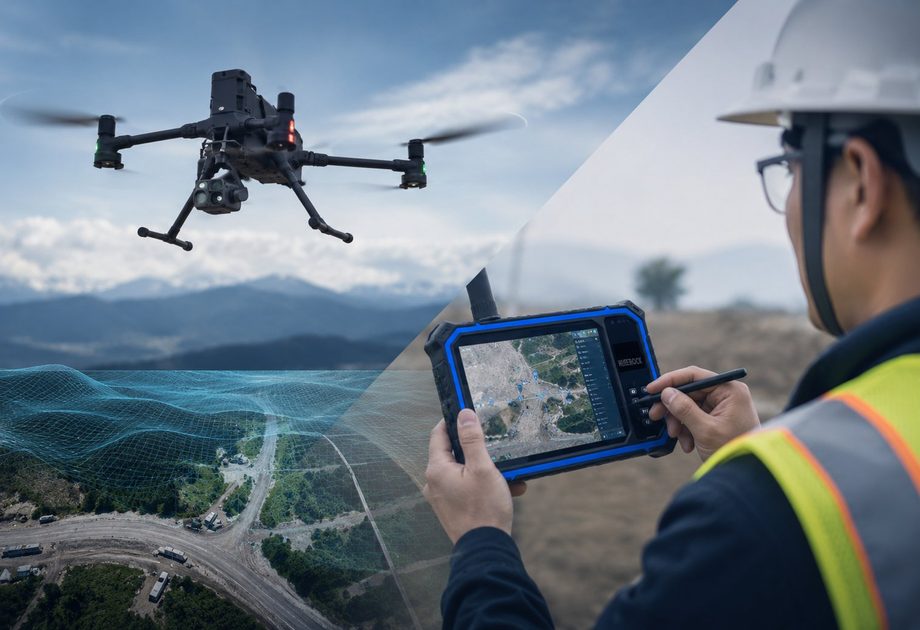
The input comes in however you have it. InfraOpera receives it and georeferences it on a single live layer of the territory.
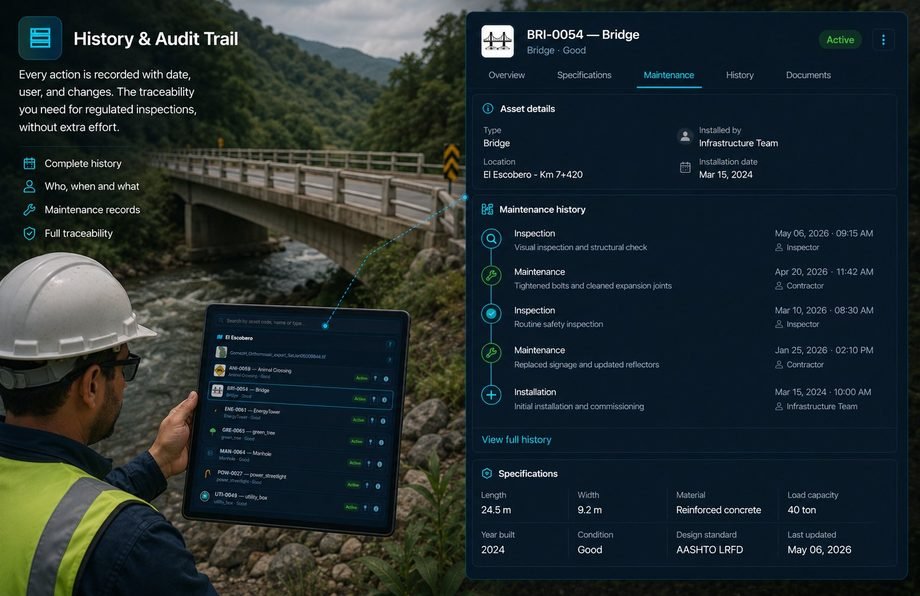
Maintaining isn't enough if you don't know what you have. InfraOpera gives you a live inventory of your infrastructure: each asset with its exact location, type, status, specifications and full history.
A detected incident becomes action. Mark the finding on the map, describe it with photos and create the work order linked to the asset and its exact location.
On large-scale projects, georeferencing is vital: each asset, damage or accident has a location reached with guided navigation, as if it were an address.
The workshop truck knows exactly where to go, the ambulance sets off just in time, the duct is repaired in the shortest possible time and the crack is fixed without opening a single paper drawing.
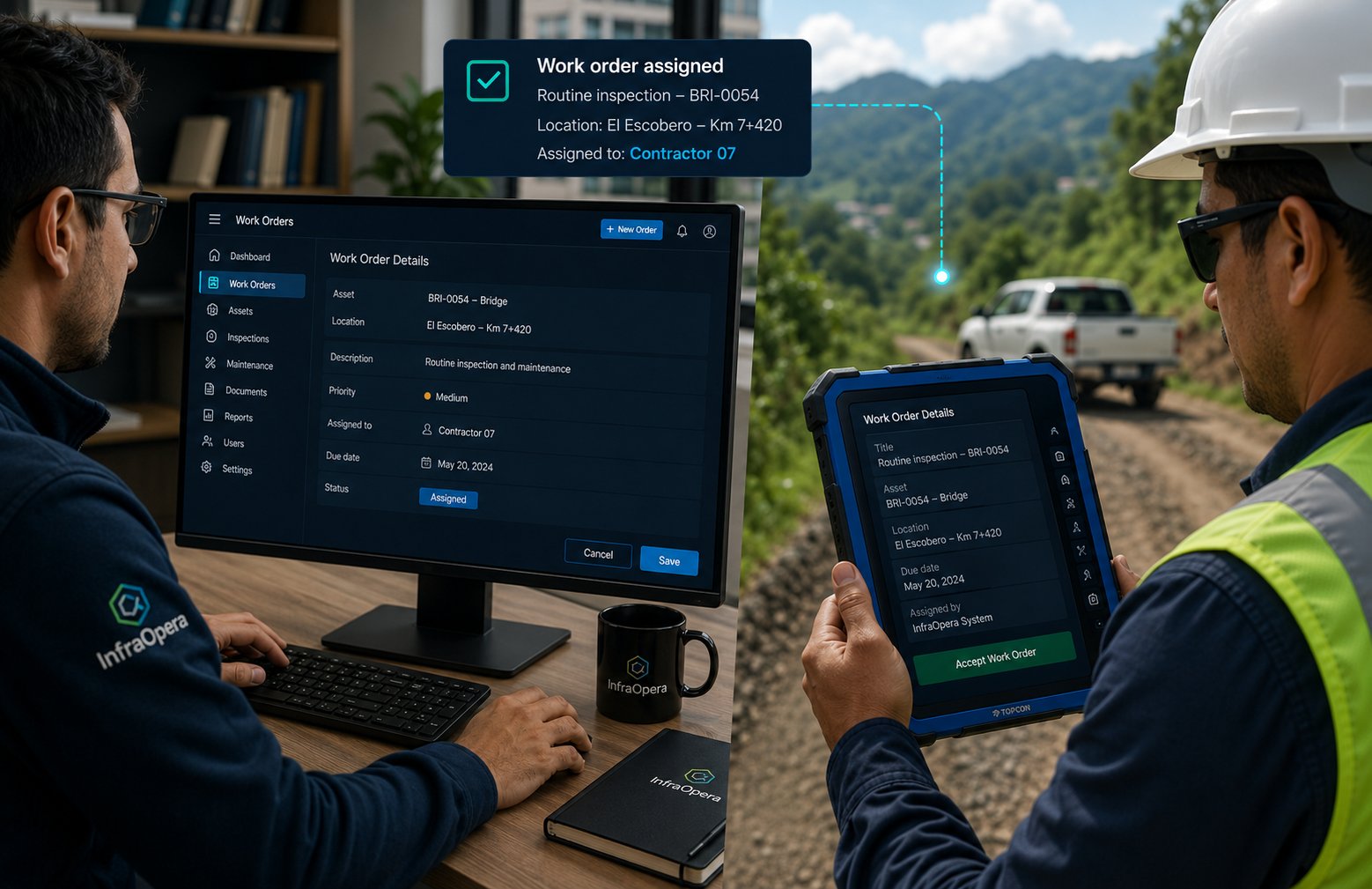
The contractor executes and records from the field with geolocated photos. The supervisor reviews the evidence and closes the order. Everything stays with full traceability.
The same photo, from another angle, on another invoice. With InfraOpera it doesn't happen again.
Each photo taken from the platform is georeferenced with a verified timestamp, linked to the geozone that delimited the repair. There's no way to reuse it on another asset: change the time and the location changes.
Georeferenced photo with a verified timestamp, linked to the repair's geozone.
Each order requires a closeout with a geolocated photo; you verify it was taken at the right site.
The photo can only be from the site of the installed asset you pay for. No duplicates.
Precise permissions by role: each person sees and does exactly what belongs to them.
Detects and reports field incidents with precise location, photos and priority.
Reviews quotes, approves budgets, validates evidence and closes orders.
Receives the order with full detail, executes the work and records the closeout with evidence from the app.
AI does the heavy lifting and proposes; you review and confirm. It supports two key moments of your operation.
AI recognizes assets in your images and generates them graphically on the platform automatically. The technician verifies and approves each phase, and fills in the corresponding data: brand, installation date, repair history and more.
AI proposes · the technician verifies and approvesAI is your processing assistant: you give it commands to filter your views or generate reports instantly. For example: "list the culverts to clean this semester" or "list the assets whose warranty expires this month".
You give the command · AI processesInfraOpera leans on the best tools on the market for intelligence, maps, navigation, storage, communication and geospatial processing.
AI models to assist asset creation and the processing of queries and reports.



Professional 2D and 3D cartographic layers to visualize your territory.

 Google
 Cesium
Directions and routes to reach the exact spot of each asset or incident.
Google MapsYour images, documents and evidence backed up in the cloud.
 Google Drive
Notifications and email communications to your team and contractors.
 Gmail
GmailInstant alerts and notices where your team already is: WhatsApp/SMS/email.
 WhatsApp
Open photogrammetry engine that reconstructs orthomosaics, 3D models and point clouds to engineering grade.
We'll show you InfraOpera with a real case on the map: an asset, an incident and a work order from start to finish.